Dockerfile Basics
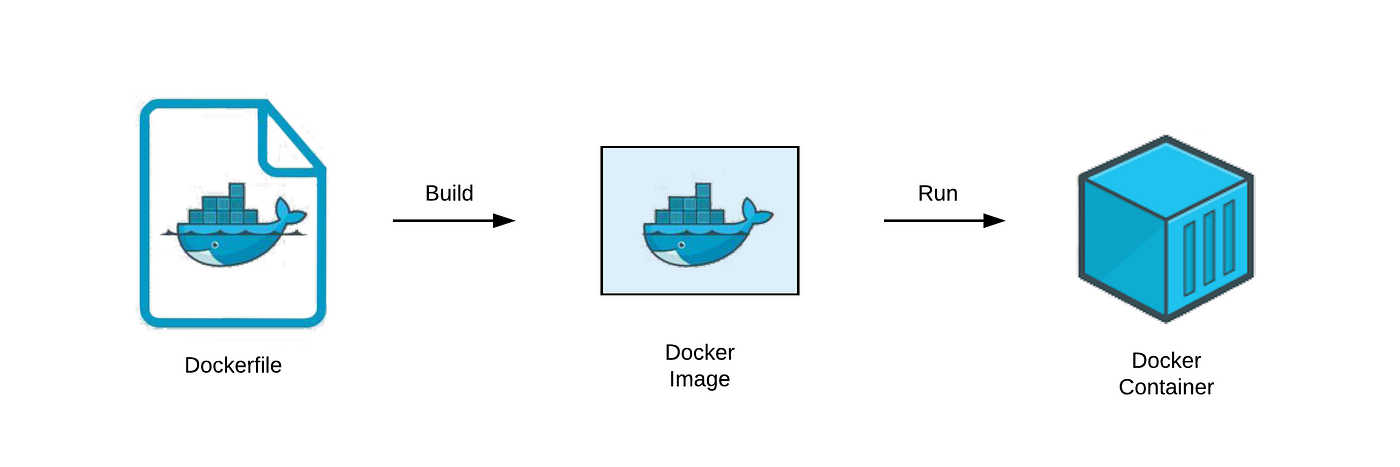
A text file called a Dockerfile holds a collection of instructions for creating a Docker image. It offers a mechanism to automate the process of creating a Docker image, which is a lightweight, portable package that includes the code, dependencies, and runtime environment required to run an application.
Dockerfile Basics
A Docker image is created by executing a set of commands contained in a Dockerfile. Every instruction consists of a command that is carried out within the limits of a Docker container.
Some of the most popular Dockerfile instructions are listed below:
FROM: Specifies the base image to use for the Docker image.
RUN: Executes a command within the Docker container.
COPY: Copies files from the host machine to the Docker container.
ADD: Copies files from the host machine to the Docker container and supports additional features like URL downloads and tar extraction.
WORKDIR: Sets the working directory for subsequent instructions.
CMD: Specifies the default command to run when the Docker container is started.
# Start with the official Ubuntu 22.04 LTS image as the base
FROM ubuntu:22.04

# Set the maintainer information for the Docker image
MAINTAINER Rupak Shrestha <wroopaq@ultron.com>

# Update the package list and install some common software packages
RUN apt-get update && apt-get install -y \
sudo \
wget \
git \
vim

# Copy a file from the host machine to the Docker image
COPY myfile.txt /tmp/myfile.txt

# Add a file from a URL to the Docker image
ADD https://mywebsite.com/myfile.txt /tmp/my-new-file.txt

# Set the working directory for subsequent commands
WORKDIR /tmp

# Copy the contents of the current directory to the working directory in the Docker image
COPY . .

# Set the default command to run when the Docker container starts
CMD ["bash"]
Build the Docker image
Use the docker build command to build the Docker image from the Dockerfile. For example:
docker build -t my-ubuntu .